

Written by Josh Hutter
Originally published February 2022 • Updated March 2026
What Is the networks API?
The networks API is an FMTC endpoint that returns a list of affiliate networks available within the FMTC platform. This includes key information such as network names, identifiers, and supported data formats.
If you’re building tools, dashboards, or integrations in the affiliate marketing space, the getNetworks endpoint provides a foundational dataset to understand which networks are available and how to interact with them.
How to Call the networks API Endpoint
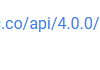
To retrieve affiliate network data, use the following endpoint.

You can find your API Access Key in your FMTC dashboard under Coupons & Deals > Deal API Keys & Calls. The API key is required for this endpoint.
networks API Parameters Explained
The networks endpoint supports several parameters to customize your request:
- key (required): Your FMTC API key
- format (optional): Output format (JSON, XML, CSV)
Sample JSON response
<[
{
"cName": "Affiliate Future",
"cSlug": "AF",
"aCountries": [
"US",
"CA",
"UK"
]
},
{
"cName": "Affiliate Future UK",
"cSlug": "AFU",
"aCountries": [
"UK"
]
}
]
What do these values mean?
- cName: The human-readable name of the network, i.e., displays the name of the network.
- cSlug: The unique slug assigned to the network.
- aCountries: The two-letter country codes for the countries that the network supports.
View the full networks API guide here.
Common Use Cases for the networks API
Developers use the networks endpoint for:
- Mapping and normalizing network data
- Filtering deals or merchants by network
How networks API Fits Into the FMTC API Ecosystem
The networks endpoint is often used alongside other FMTC API endpoints such as:
- deals (endpoint)
- deals-merchants (endpoint)
Together, these endpoints provide a comprehensive view of affiliate data across multiple networks.
Get Started with FMTC
Ready to start using the networks API and streamline your affiliate integrations?
 Get started with FMTC today: https://www.fmtc.co/get-started/
Sign up to receive your API key and begin building with normalized affiliate data across networks.
As always, our team is ready to help you! If you have any questions or concerns, feel free to reach out to your Account Manager or send us an email at support@fmtc.co. Curious about other FMTC API endpoints? Feel free to read the following:
- FMTC Tech Corner: getDeals Deep Dive
- FMTC Tech Corner: getMerchants Deep Dive
- FMTC Tech Corner: Get Deals and Get Merchants
- FMTC Tech Corner: The Product Feed
The post FMTC Networks API Explained: Retrieve Affiliate Network Data appeared first on FMTC.




![Are In-Stream Video Ads Worth the Investment? [Benefits & Best Practices for Marketers]](https://firstonlineprofits.com/wp-content/uploads/2025/03/3d0bc27a-898d-40d5-aa46-8696ed81c4ee-440x59.png)


Last Comments