

Originally published January 2022 • Updated March 2026
Affiliate marketing relies on accurate tracking to understand what’s driving performance. One of the most powerful — and often underutilized — tools for this is the SubID.
In this guide, we’ll break down what SubIDs are, how affiliate link parameters work, and how you can use them to improve tracking and performance with FMTC’s FreshReach.
What is a SubID in Affiliate Marketing?
A SubID (short for “sub identifier”) is a customizable parameter added to an affiliate link that helps track where clicks and conversions come from.
By appending a SubID to your links, you can identify which traffic sources, campaigns, or placements are generating results.
Why SubIDs Matter for Tracking Performance
SubIDs give you deeper insight into your affiliate performance beyond standard reporting.
With SubIDs, you can:
- Track specific traffic sources (email, social, blog, paid ads)
- Compare performance across placements
- Optimize campaigns based on real data
- Identify high-converting content
Without SubIDs, you’re missing a critical layer of visibility into what’s actually working.
How Affiliate Link Parameters Work
Affiliate links often include multiple parameters that help networks and platforms track activity.
Common parameters include:
- m: Merchant ID
- c: Creative ID
- sid: SubID (your custom tracking value)
- uid: User or session identifier
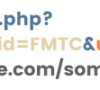
Example:

FreshReach Required Parameters
The main URL (https://freshreach.co/click.php?) and the “?c=”, “&m=”, “&cid=”, “&uid=” parameters should not be manually changed. These values are set by FMTC and are automatically populated into the links for you.
Parameter: c

Required: Yes
Editable: No
The “c” parameter contains the FMTC Deal ID. This value is extremely important when the link is coming from the deal feed. This parameter will default to 0 when it is not associated with a specific deal. If the parameter is missing or the value is set to 0, the user is routed to the merchant’s default URL. The only exception is when a deep link is specified in the link URL; in that case, the user will be routed to the deep link URL.
Parameter: m

Required: Yes
Editable: No
The “m” parameter contains the FMTC Merchant ID. This value is very important and should never be modified.
Parameter: cid

Required: Yes
Editable: No
The “cid” parameter contains the FMTC company ID. Unless otherwise specified, this should always be set to FMTC.
Parameter: uid

Required: Yes
Editable: No
The “uid” parameter contains the FMTC User ID. This parameter is vital for link tracking.
Parameter: sid

Required: No
Editable: Yes
The “sid” (subid) is a passthrough parameter. This allows you to add tracking values that you can later report on.
You can fully edit this parameter. If you want a subid to be automatically added to all of your FreshReach® links, follow these simple instructions:
- Log into your account at https://account.fmtc.com
- Navigate to Feed Management > Feed Settings
- Find “Deals Feed Settings” and check “Include SubID”
- Set your Default SubID and click Save
If you don’t have a default subid, you may see “&sid=0”. You can leave that as is, edit it, or remove it.
Optional Parameter: Deep Linking
Parameter: dl

Required: No
Editable: Yes
The “dl” parameter is for deep linking. This allows you to set a specific page for the user to land on. It is optional and should only be included if you want to utilize this feature.
Passing SubIDs Through FMTC
FMTC does not pass the SubID by default; this setting needs to be turned on through the FMTC Deal Feed Settings. This will fill out the SubID parameter with the default SubID field to all the deals that are associated with the account.
For more details visit the FMTC SubIDs Tracking Guide
Get Started with FMTC
Ready to take your affiliate tracking to the next level?
FMTC’s FreshReach helps you create, manage, and optimize affiliate links — all in one place.
 Get started with FMTC today and unlock better tracking, better insights, and better performance.
The post FreshReach SubID Guide: How to Track Affiliate Links Effectively appeared first on FMTC.


![How to Create a Complete Marketing Strategy [Data + Expert Tips]](https://firstonlineprofits.com/wp-content/uploads/2025/03/aacfe6c7-71e6-4f49-979f-76099062afa0-5-440x58.png)



Last Comments