
Written by Josh Hutter
Originally published July 2023 • Updated March 2026
Managing affiliate merchants across multiple networks can quickly become overwhelming. Keeping track of which programs you’re approved for—and ensuring your data feed reflects that—often requires constant manual updates.
MerchantSync by FMTC solves this problem by automating affiliate merchant management, saving time and ensuring your data stays accurate in real time.
What is MerchantSync?
MerchantSync is an FMTC tool that automatically synchronizes your affiliate merchant relationships, adding and removing merchants from your feed based on your network approvals.
Instead of manually updating your merchant list, MerchantSync connects directly with your affiliate network accounts and keeps everything aligned automatically.
How MerchantSync Works
MerchantSync integrates with supported affiliate networks and continuously checks your account for changes.
Here’s what it does:
- Automatically adds merchants when you’re approved in a network
- Removes merchants if you’re no longer partnered
- Keeps your FMTC data feed in sync with up-to-date network status
- Ensures your links and data reflect only active partnerships
This means your merchant feed is always up-to-date—without manual effort.
Why Affiliate Automation Matters
If you’re managing multiple affiliate programs, you already know how time-consuming it can be to maintain accuracy.
Without automation:
- You risk promoting merchants you’re no longer partnered with
- Your feed can become outdated or inconsistent
- Manual updates slow down your workflow
MerchantSync eliminates these issues by automating the entire process.
How to Get Started with MerchantSync
Getting started is simple: Publishers who subscribe to FMTC can login to your FMTC portal.
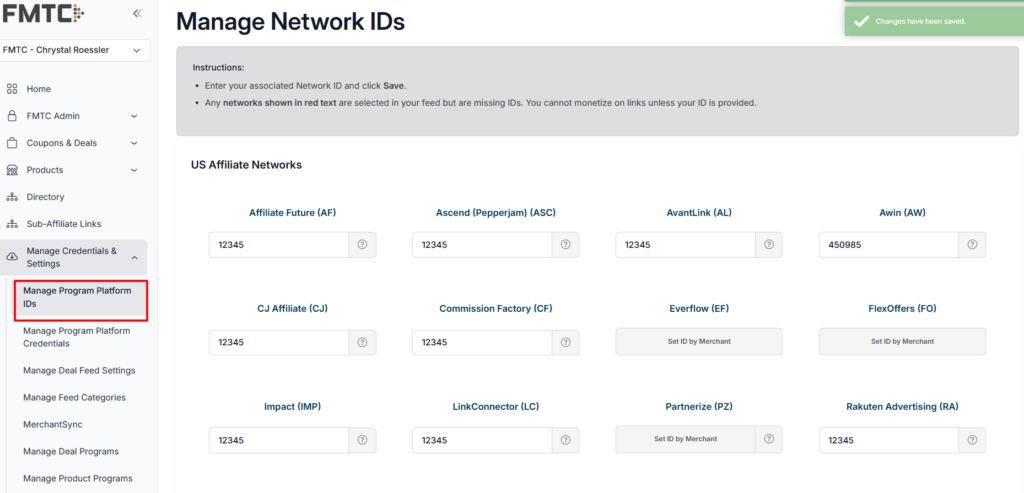
- Navigate to “Manage Program Platform IDs” and input your network ids for each network you work with. Tip: Hover over the ‘?’ for instructions to find the corresponding ids.
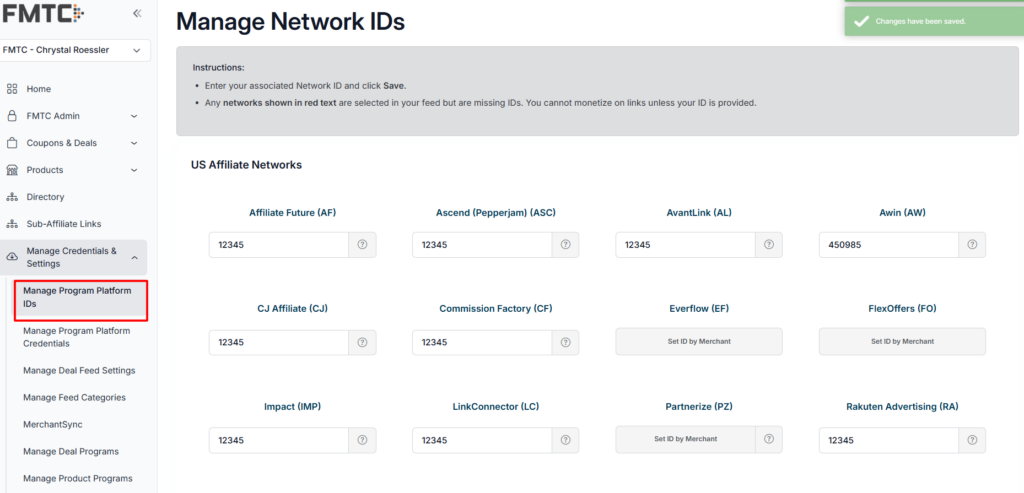
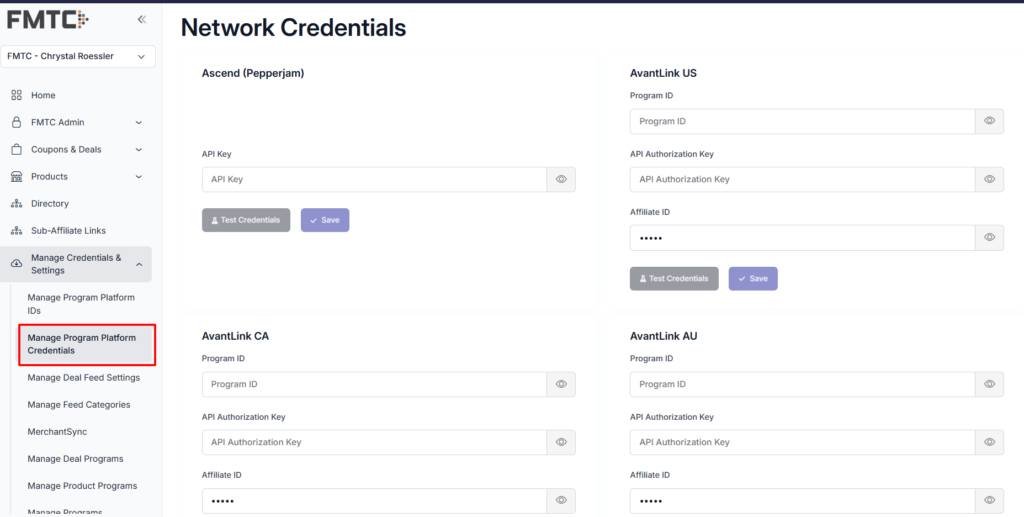
- Input your Program Platform Credentials on the “Manage Program Platform Credentials” page.
- Enable MerchantSync
- Navigate to MerchantSync
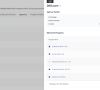
- Under General Sync Settings: Enable the ‘Status’ button to ‘Sync network relationships with FMTC’
- Set a Daily Sync Schedule Time (optional)
- Set up a daily email report for updates on added or removed merchants. Within our MerchantSync tool you can schedule a daily report to be emailed to you, showing you which merchants have been added or removed from your account that day.
- Click on each logo of the network you set up credentials for and do the following
- Enable MerchantSync for this network
- Decide if you want to Auto Add Merchants. By enabling this feature, MerchantSync will automatically add the programs you are approved for in the networks. This means that when you get approved for a program, you can rest assured that your next API call will include the newly active program.
- Decide if you want to Auto Remove Merchants. Some programs may terminate their relationship with an affiliate, leading to the removal of deal information from the FMTC API. By enabling this feature, you can choose to have these programs automatically removed from your account, keeping your data clean and relevant.
- Complete a Manual Sync by clicking the “Sync Network” button to test that all credentials are working
Once set up, MerchantSync runs in the background—no ongoing maintenance required.
Supported Affiliate Networks
- Networks: Choose whether MerchantSync should run for all the networks you work with or only a select few. The current networks that support MerchantSync are:
- Ascend
- AvantLink
- Awin
- CJ Affiliate
- Commission Factory
- impact.com
- LinkConnector
- Rakuten
- ShareASale
- Webgains
It’s important to note that each network handles its API calls differently. To gather the necessary information, FMTC requires your network account API credentials so that we may make an API call on your behalf. This allows FMTC to grab your latest information and seamlessly apply it to your FMTC account. For more information about the steps to gather this information, please see the individual network pages on the MerchantSync page in the FMTC Portal.
As always, our team is ready to help you! If you have any questions or concerns, feel free to contact your account manager or email us at support@fmtc.co. Curious about other FMTC technologies? Find more information on FMTC’s tools in our Tech Corner:
- FMTC Tech Corner: Deal Alerts
- FMTC Tech Corner: Pushed Deals
- FMTC Tech Corner: Deal Management Tools for Merchants
The post What Is MerchantSync? Automating Affiliate Merchant Management with FMTC appeared first on FMTC.




Last Comments